


How To Implement WebMCP: A Breakdown Of Google's Live Demo
Alright, so I was recently reading an article on WebMCP from Semrush's Leigh McKenzie and found many of the insights super interesting. One of the most revealing things that he found was that Google has already set up a live demo of an actual WebMCP implementation!!
You can actually find it here:
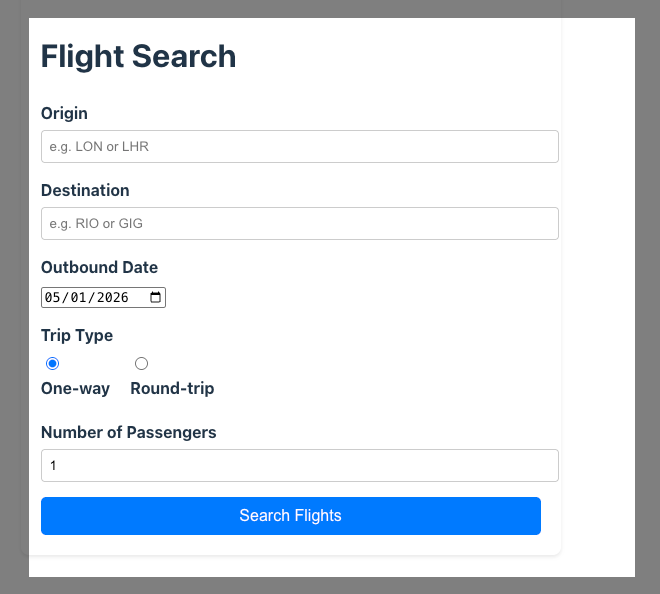
What's pretty freaking cool about this is that you can actually use this demo to go behind the scenes and see how they actually implemented WebMCP. I figured I'd play around with it and explore how to actually implement WebMCP using this live demo as a guide.
How To Implement WebMCP
So let's go behind the scenes on how this is actually implemented. Google's demo contains a simple "Flight Search" form that allows the user to define where they want to book a flight using a few different fields.
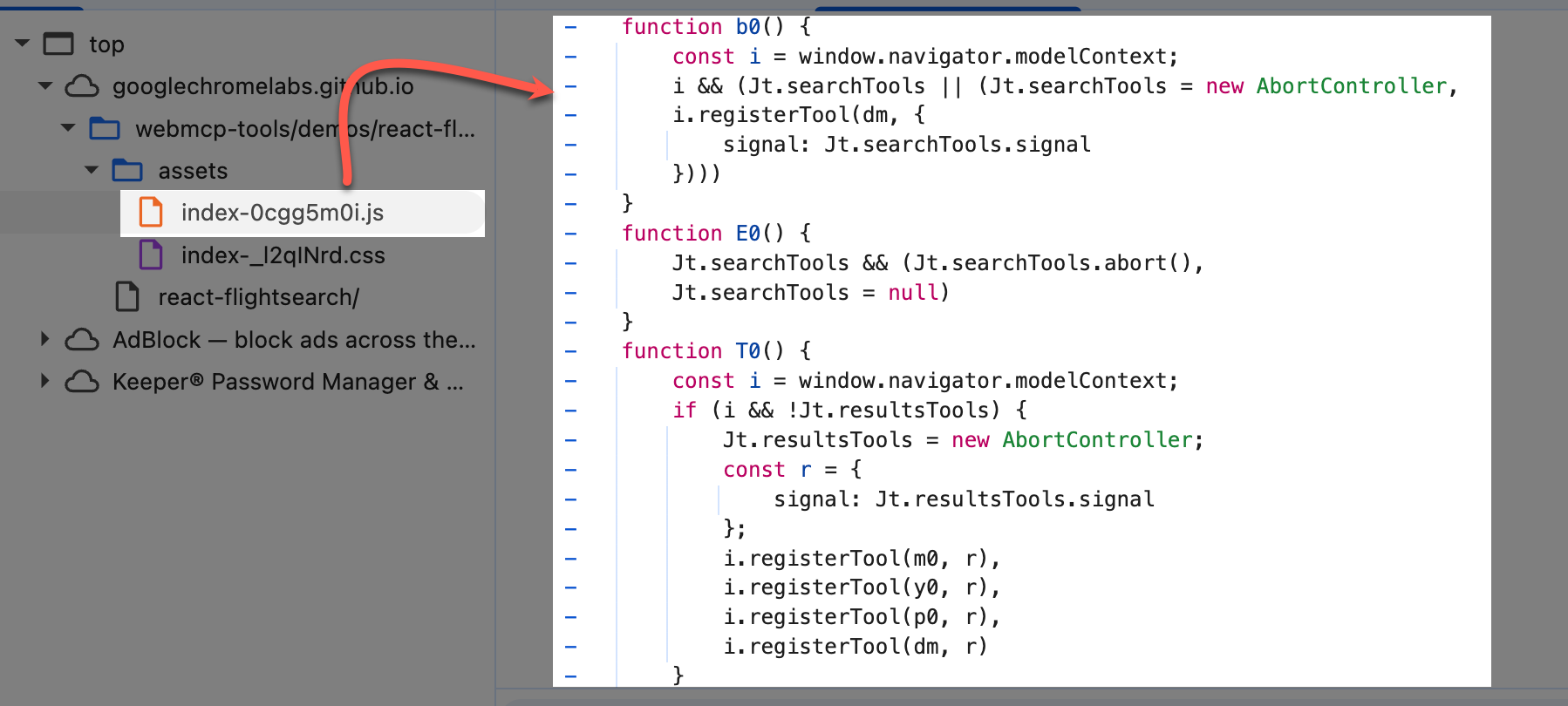
When inspected the Console, the first thing you'll notice is that WebMCP implementation isn't found in the original DOM or source HTML. Instead, it lives on a separate JavaScript file. In the demo it's titled "index-0cgg5m0i.js". This appears to contain the contents that control the form.
1. Define Each Tool
Within the JS file, we can see that each tool much be defined. In total, this demo has four different ones:
searchFlights: Allows agentic flight search
listFlights: Returns the list of flights after a search
setFilters: Creates filters for flight parameters
resetFilters: Allow for reseting the filters
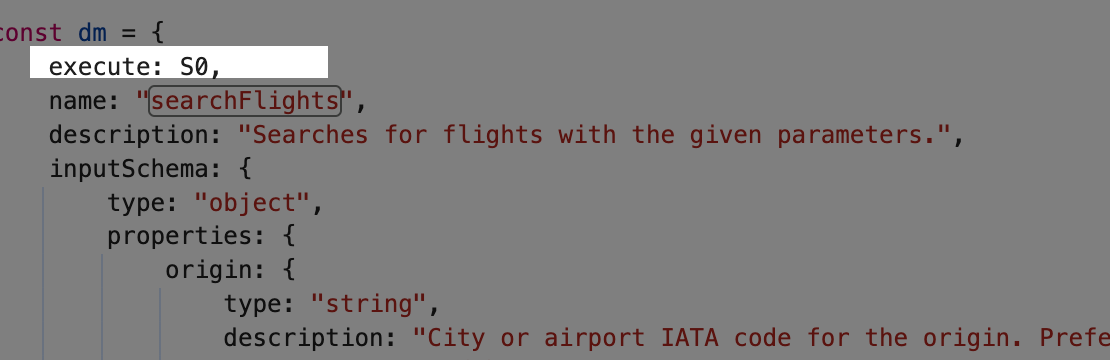
Each tool defines an execute property. This is the function that runs when an AI agent calls the tool.
2. Define InputSchema
Each tool is then defined within the JS file. They given different properties such as name, description, inputSchema and outputSchema. This is similar-ish to how structured data is defined.
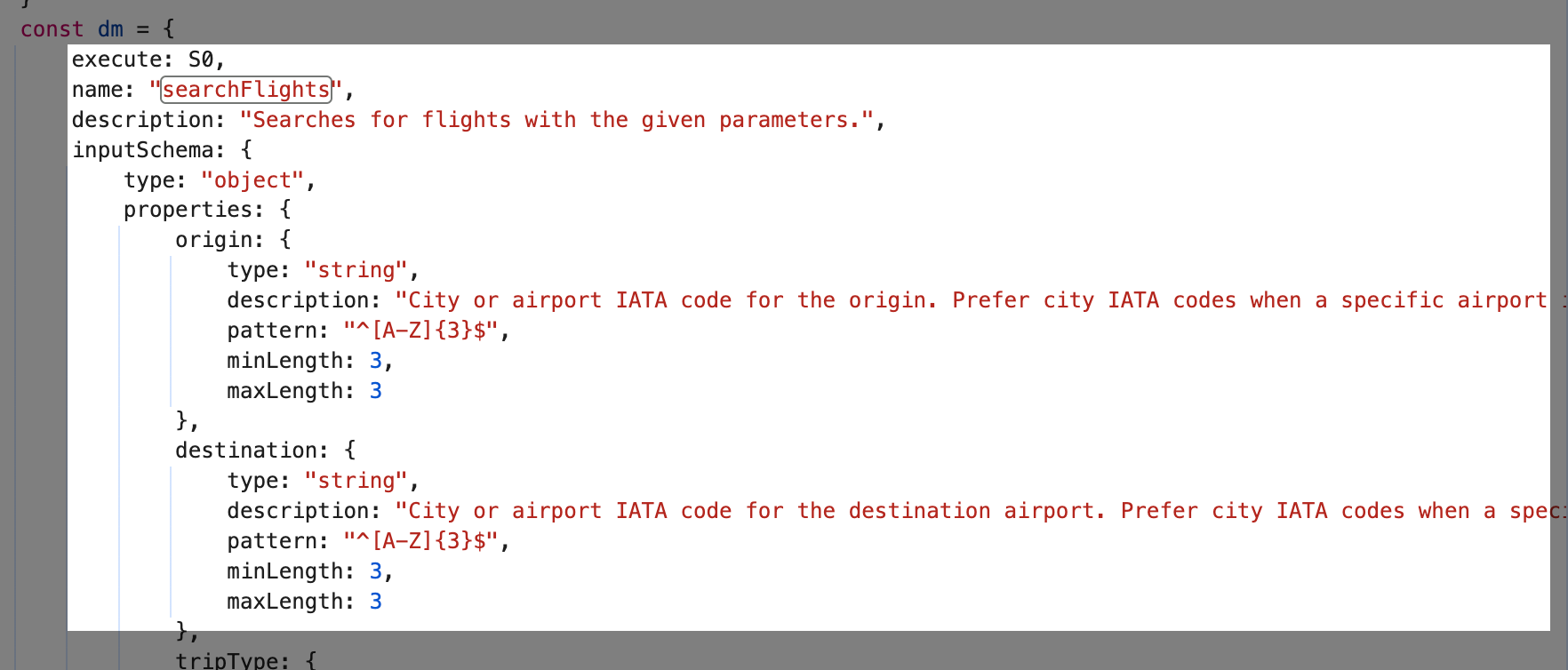
Within the inputSchema, each individual field is than defined as an object. For searchFlights, it define all of the form fields such as Origin, Destination, Trip Type etc. This is what the agent is allowed to insert into the tool
Each is definition can have multiple properties such as:
type: string, number
description
pattern
minLength/maxLength
format
enum
Below is an example from the searchFlights tool.
3. Define Agent OutputSchema
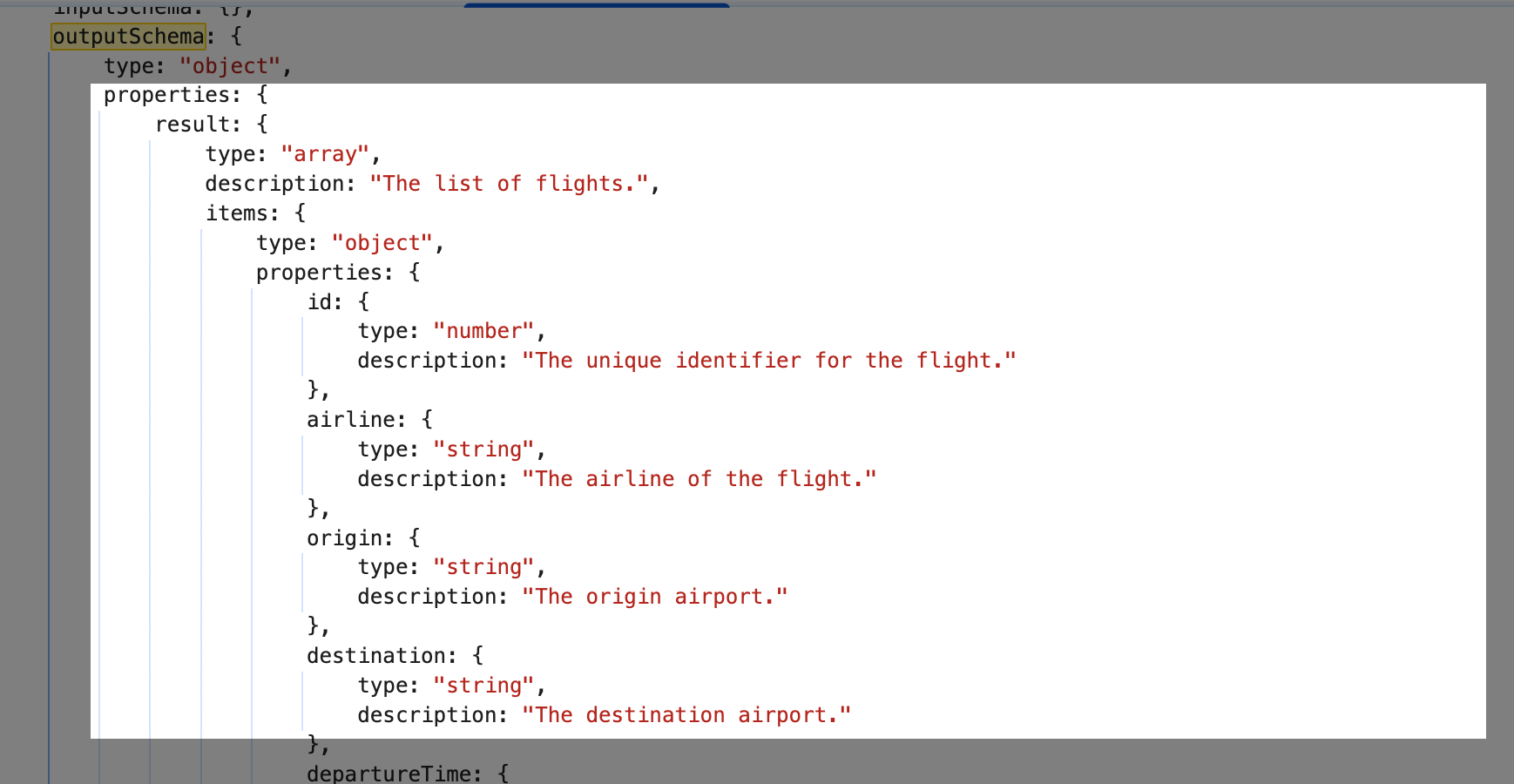
There is also "outputSchema" that should be the results that the agent should return once it's completed it's input. This is sometimes as simple as a basic message "a message describing the result of the flight search request".
Other times, the outputSchema is more complex. For example, on the listFlights tool, the outputSchema contains a robust set of information about each flight including the ID, airline, destination, departure time and more.
4. Register & Execute Tools With navigator.modelContext
Finally, registering tools with navigator.modelContext is the step where the page makes its WebMCP tools available to an AI agent. After the tool objects are defined such as including the tool name, description, inputSchema, outputSchema, annotations, and execute() function.
This is the moment the app says: “Here are the actions an AI agent is allowed to call on this page, and here is how to call them.”
Here you can see that all the tools (expressed as variables) are registered.
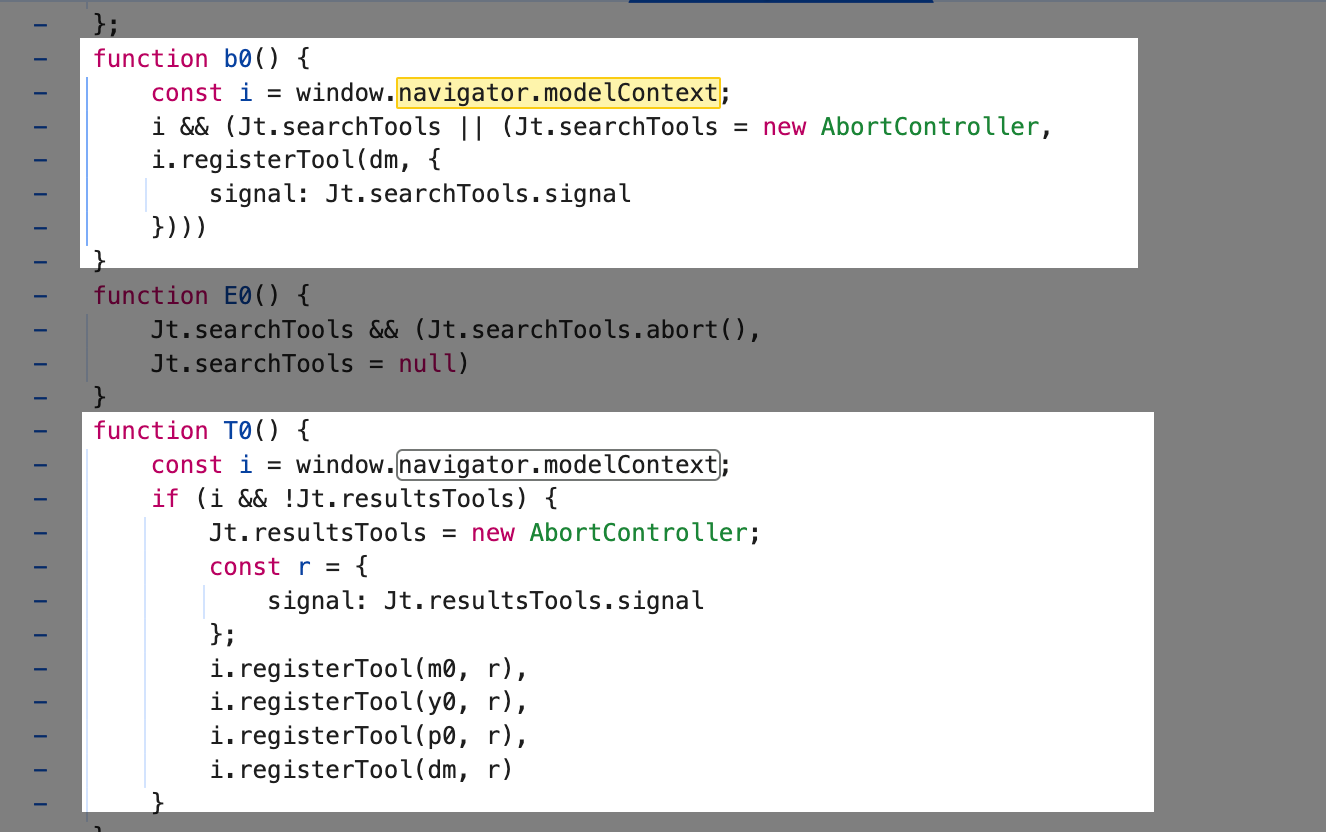
When the agent invokes one, the browser executes the tool’s execute function.
5. Test & Validate
Another great nugget from Leigh's article is that there's actually a Chrome extension that allows you to validate the implementation of WebMCP. The "WebMCP - Model Context Tool Inspector" let's you easily test this directly in your browser. If it's on the site correctly, the extension will automatically detect that.
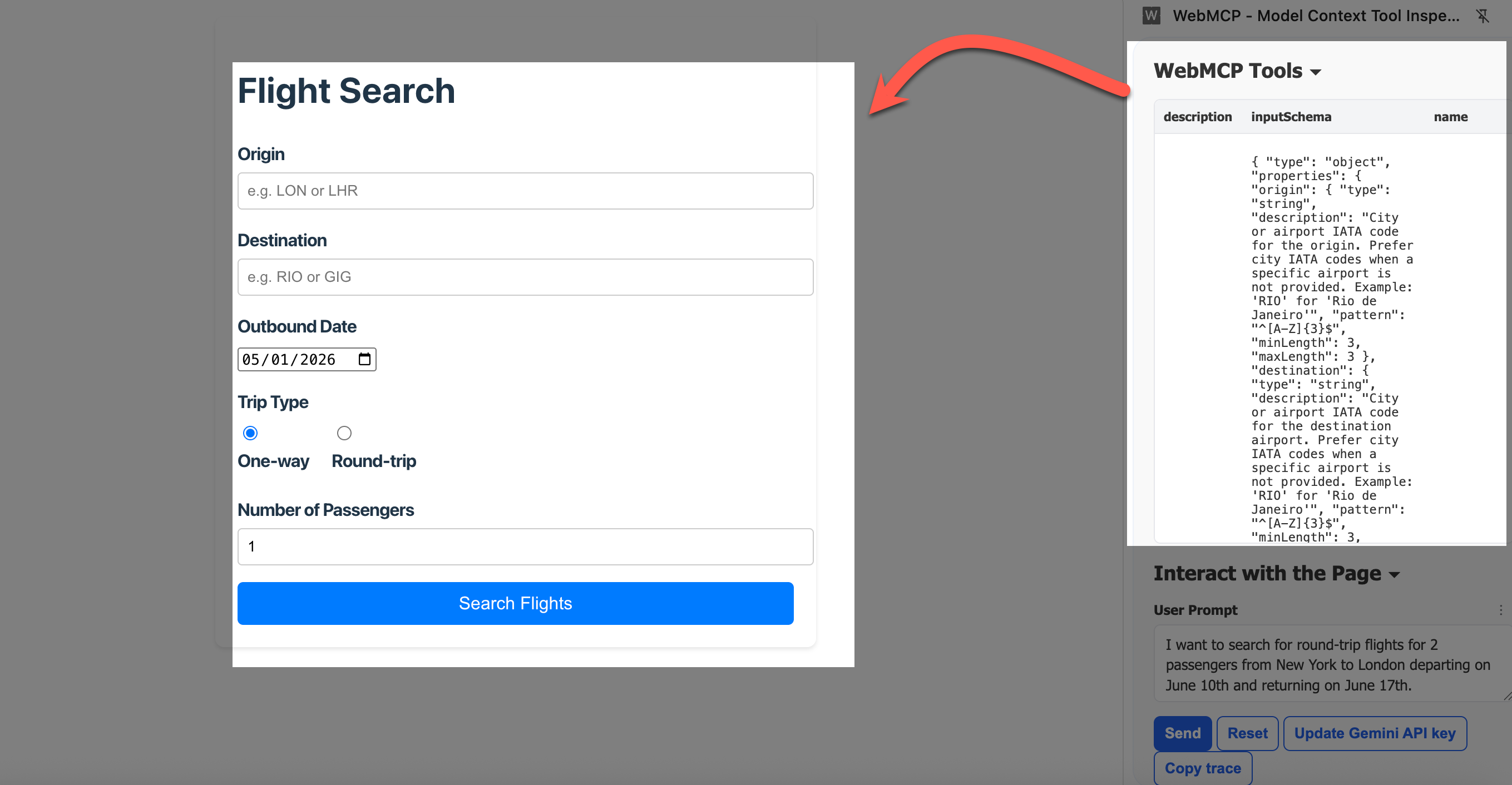
You can actually connect right into Gemini and start testing user prompts to see what gets returned when testing the tool.
So there you have it. This should teach you a bit more about how WebMCP works, what you need to define and the rough logic behind it.